
Unsplash is a royalty-free photo library. You must provide your own Unsplash Access Key.
Pro. This bank is locked on the Free plan (Pro badge on Source).
Source badge: Photos.
Gutenberg: yes. Enable it as a search tab on Magic Post Thumbnail → Gutenberg Block. API keys and filters stay on Source.
Open the bank in Source #
In version 7, banks are configured from Magic Post Thumbnail → Source. Click the bank in the left column (or tick it to add it to the chain), then click Configure. The Banks Settings panel opens on the right. Save when you are done.
The left column is the Automatic generation chain used by the editor button, bulk generation, cron and imports. Drag to set priority: the first bank is tried first. Unchecked banks sit below the chain.
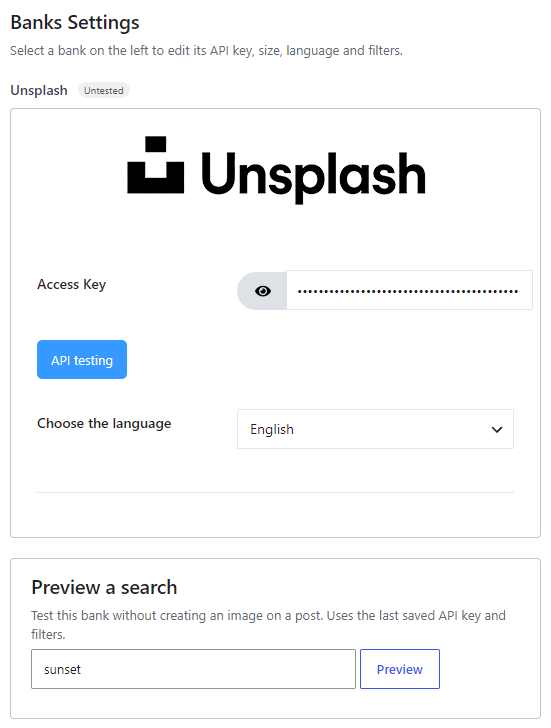
Get an Access Key #
- Register at Unsplash.
- Create an application on the Unsplash developers / OAuth applications page.
- Copy the Access Key (not the Secret) into the Source panel.
- Click API testing, then Save.
Options #
- Access Key — required.
- Choose the language — Czech, Danish, German, English (default), Spanish, French, Indonesian, Italian, Hungarian, Dutch, Norwegian, Polish, Portuguese, Romanian, Slovak, Finnish, Swedish, Turkish, Vietnamese, Thai, Bulgarian, Russian, Greek, Japanese, Korean, Chinese.


