
After you open Magic Post Thumbnail, the first screen is Dashboard. Version 7 checks whether your chain and keys can run, and can generate a test image on a draft.
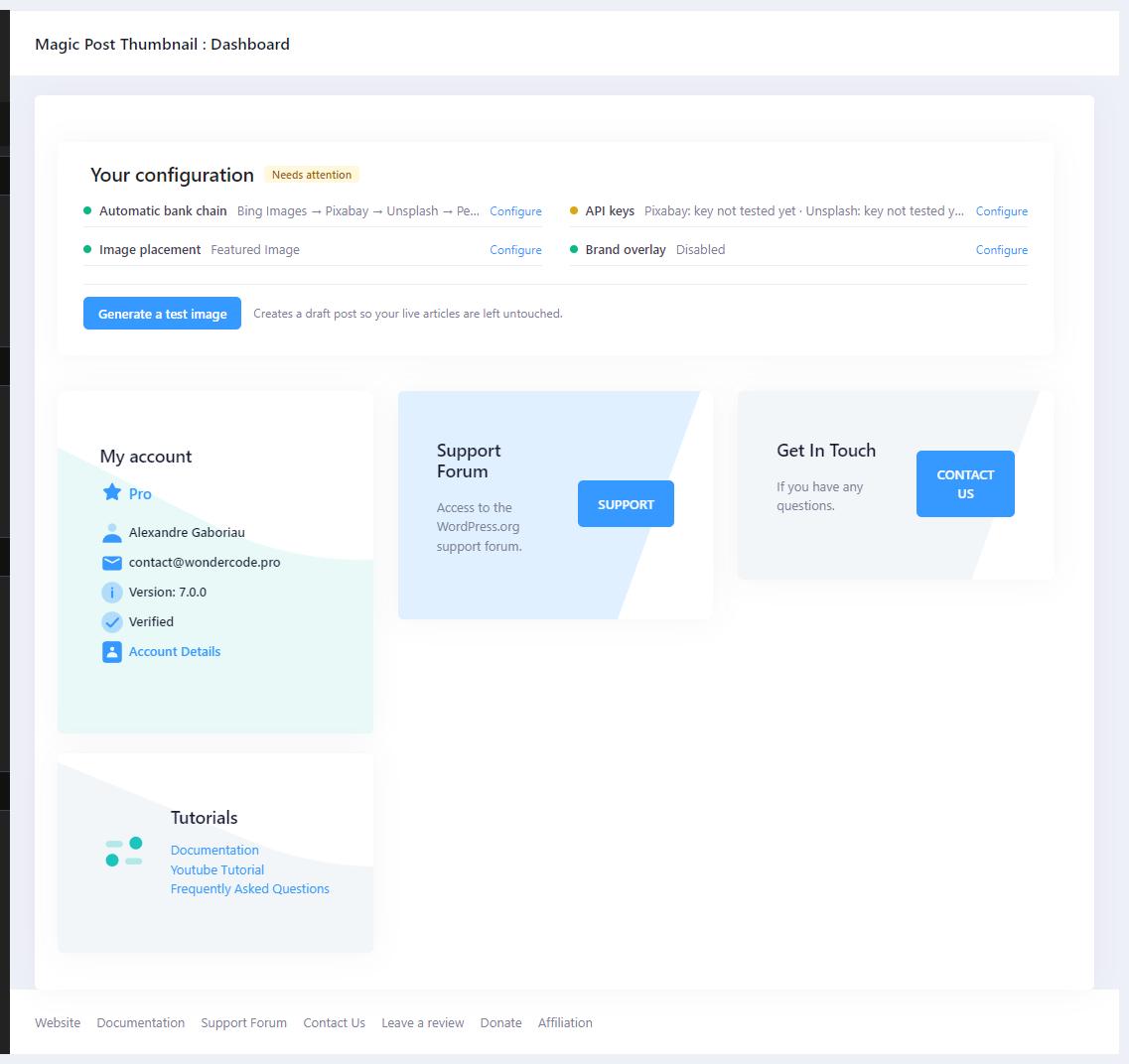
Your configuration #
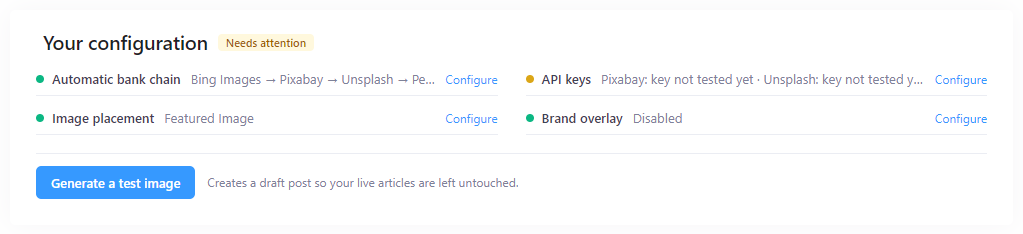
The Your configuration card shows an overall badge:
- Ready to generate — the chain can run.
- Needs attention — something is missing or failed.
Each row is a check, with a Configure link when you need to fix it:
- Automatic bank chain — banks in order (for example Bing Images → GPT Image), or “No bank selected. Add at least one bank below, otherwise no image can be generated.”
- API keys — “All banks in the chain are ready.” or messages such as “GPT Image: no API key”.
- Image placement — Featured Image, Inline content, or “No image placement configured.”
- Brand overlay — Disabled (default), or a warning if overlay is on but PHP GD / TrueType is missing.
Generate a test image #
Generate a test image creates a draft titled Magic Post Thumbnail — test so live articles are left untouched. The hint under the button is: “Creates a draft post so your live articles are left untouched.”
The button is disabled until the first bank in the chain is usable (key present, or a default image chosen).
If the first bank is AI, confirm: “This test will call a generative AI service and consume tokens. Continue?” The button then shows Generating… (AI can take 10–90 seconds). On success you get Open the test draft.
This uses the saved Source chain — the same path as Generate Automatically, bulk and cron — not Gutenberg photo search.

Account cards #
Below the health card:
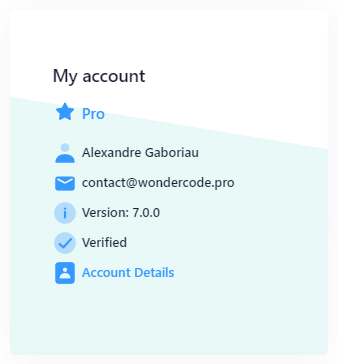
- My account — Free, Pro, or Pro (licence expired); name; email; Version; Verified or Not Verified; Account Details; Upgrade the plugin when relevant.
- Support Forum — WordPress.org, button Support.
- Get In Touch — button Contact Us.
- Tutorials — Documentation, Youtube Tutorial, Frequently Asked Questions.
You do not need a paid account to use the free plugin.
Next steps #
- If the badge is Needs attention, follow Configure to Source or Automatic.
- When it is Ready to generate, click Generate a test image.
- Then generate on real posts — see How to use Magic Post Thumbnail.
Related: What is Magic Post Thumbnail ?, Settings : Source.


