
Configuring Default image in Source
Free. Local. No API key. Default image assigns a media-library picture when every other bank in the chain fails. Place this bank last.
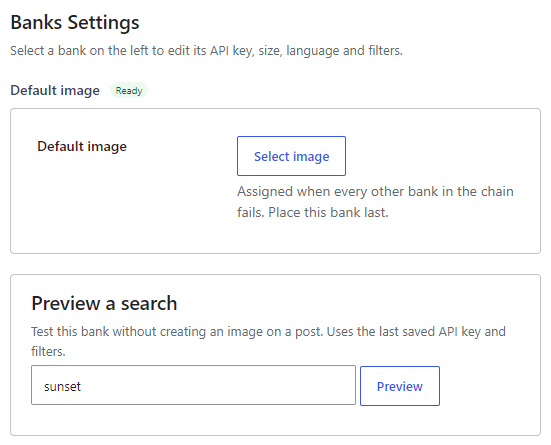
Where to enable it #
Open Magic Post Thumbnail > Source. In Automatic generation chain, check Default image (badge Local, key status Ready) and drag it to the end of the chain. Click Configure to open Banks Settings. This chain is used by the editor button, bulk generation, cron and imports.
The Gutenberg block does not include this bank. Manual search tabs are photo banks chosen on the Gutenberg Block page. Gutenberg: N/A for this as a search tab.
Options #
- Default image — click Select image to pick an attachment from the WordPress media library. A preview appears. Click Remove to clear the selection.
The help text is: Assigned when every other bank in the chain fails. Place this bank last.
If no image is selected, this bank fails (the log records “Default image is not set”) and generation continues to the next bank, if any.
Preview a search #
If an image is selected, Preview a search shows that picture (it does not search by keyword). If none is selected, the message is: Choose a default image in the settings on the left.
Placement #
Keep this bank last so photo and AI sources are tried first. Use it as a guaranteed last resort (logo, placeholder, or branded default) when every other bank fails.


