
Configuring First image in content in Source
Free. Local. No API key. First image in content is not a search API. During generation, the first image already present in the post content is used if previous banks in the chain failed.
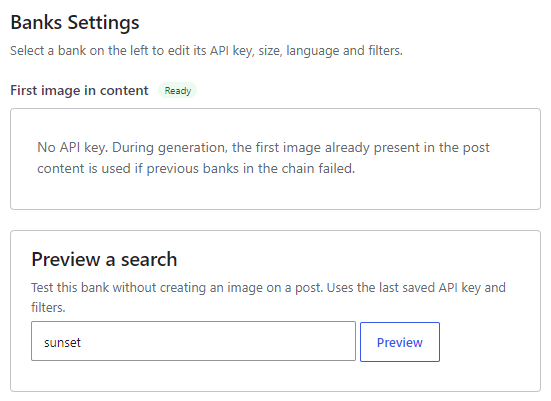
Where to enable it #
Open Magic Post Thumbnail > Source. In Automatic generation chain, check First image in content (badge Local, key status Ready) and drag it to set priority. Click Configure to open Banks Settings on the right. This chain is used by the editor button, bulk generation, cron and imports.
The Gutenberg block does not include this bank. Manual search tabs are photo banks chosen on the Gutenberg Block page (Openverse, Flickr, Pixabay, and Pro photo banks). Gutenberg: N/A for this as a search tab.
Banks Settings #
There is no API key and no filter. The help text is: No API key. During generation, the first image already present in the post content is used if previous banks in the chain failed.
How it works #
When this bank runs, the plugin looks in the post for the first usable image:
- A Gutenberg Image block with an attachment ID
- An image tagged with a
wp-image-class - Otherwise the first HTML img element with a valid src attribute (a media-library URL or a remote URL; data URIs are ignored)
The current featured image is skipped so generation does not pick the thumbnail already assigned to the post. If no image is found, this bank fails and the next bank in the chain is tried.
Preview a search #
Preview a search on Source does not run a keyword search for this bank. The message is: This bank does not support keyword preview. During generation it uses the first image already in the post.
Placement #
Place this bank after photo or AI sources if you want a remote image first, and the in-content image only when those banks fail. Put it first only if you want generation to reuse an image already in the article whenever one exists.


