Magic Post Thumbnail
  • Pricing
  • Features
  • Docs
  • FAQ
  • Contact
  • Account
  • Blog
  • Buy It
  • English
    • Français (French)
logo
  • Pricing
  • Features
  • Docs
  • FAQ
  • Contact
  • Account
  • Blog
  • Buy It
  • English
    • Français (French)

Documentation

Getting Started

  • What is Magic Post Thumbnail ?
  • Requirements

Setup the plugin

  • Dashboard
  • Settings : Source
  • Settings : Automatic
  • Settings : Gutenberg Block
  • How to use Magic Post Thumbnail

Image Databases

  • GPT Image
  • Pixabay
  • Bing Images
  • Grok
  • Gemini (Nano Banana)
  • Flux 2
  • Ideogram
  • Replicate
  • Default image
  • First image in content
  • Google Image (API)
  • Stable Diffusion
  • Unsplash
  • Pexels
  • Flickr
  • Openverse
  • Youtube

Pro Features

  • Upgrade from free to Pro version
  • Compatibility
  • Cron
  • Proxy

Miscellaneous

  • Rights
  • Affiliation
  • AI style and custom prompts
  • Logs

Support

  • Account
  • Problems with Pro Plugin
  • Getting help
  • FAQ & Commons Problems
  • Help the plugin
View Categories
  • Home
  • Docs
  • Miscellaneous
  • Rights

Rights

< 1 min read

Configuring Rights

The Rights screen (plugin menu: Miscellaneous > Rights) controls which WordPress roles can open the Magic Post Thumbnail admin, including the Dashboard, Source, Automatic, Gutenberg Block, and the other plugin pages.
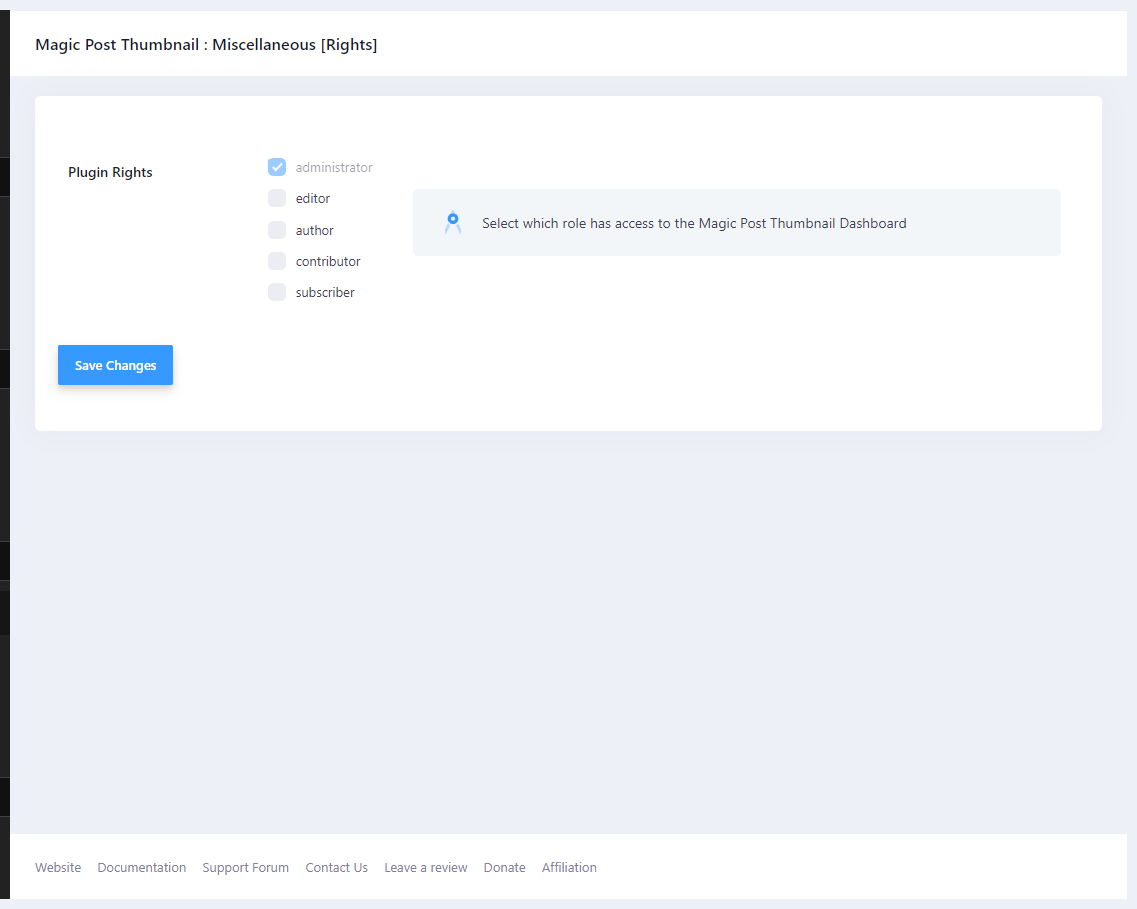
Rights — Plugin Rights checkboxes for WordPress roles

Plugin Rights #

  • administrator — always enabled. The checkbox is checked and disabled.
  • editor — optional.
  • author — optional.
  • contributor — optional.
  • subscriber — optional.

The help text is: Select which role has access to the Magic Post Thumbnail Dashboard.

By default only administrators have access. Checking a role grants that role the plugin capability used for menus and settings. Unchecking it removes the capability (administrators are never removed).

What this does not change #

This does not replace WordPress capabilities for editing posts. A user still needs permission to edit a post in order to click Generate on that post. Scheduled cron, REST, and import jobs keep running without Dashboard access.

What are your Feelings

Share This Article :

  • Facebook
  • X
  • LinkedIn
  • Pinterest
Updated on 16 August 2026
LogsAffiliation
Table of Contents
  • Plugin Rights
  • What this does not change
MPT-logo

You can donate for the free version with Paypal & Bitcoin

Bitcoin logo bc1qwchwnm6ch78futjlg3jeu6dznnapqpaarckaf6 Magic Post Thumbnail Youtube Channel
2026 © All rights reserved - Affiliation - Legal Notice - Privacy Policy