
Configuring Bing Images in Source
Free. Photos. Bing Images is the default automatic photo source in Magic Post Thumbnail 7. It searches Bing for pictures that match your Search Based on keywords. No API key is required.
Google HTML scraping was removed in 7.0. Existing scraping settings are migrated to Bing automatically.
Where to enable it #
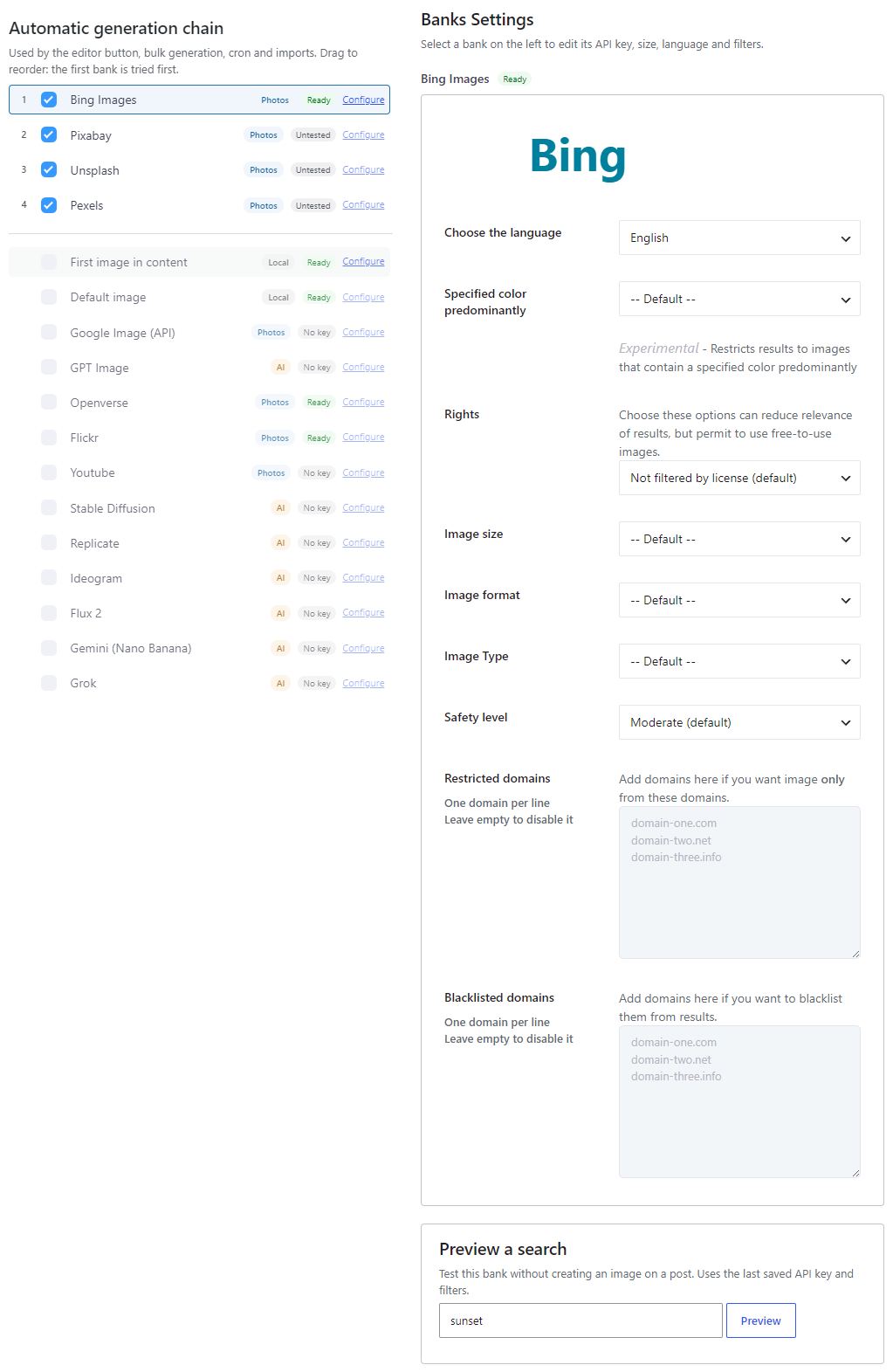
Open Magic Post Thumbnail > Source. In Automatic generation chain, check Bing Images (badge Photos) and drag it to set priority. Click Configure to edit filters. This chain is used by the editor button, bulk generation, cron and imports.
The Gutenberg block does not include Bing. Manual search tabs are photo banks chosen on the Gutenberg Block page (Openverse, Flickr, Pixabay, and Pro photo banks).
Options #
- Choose the language — Match the language of your titles or keywords. Default: English.
- Specified color predominantly — Experimental. Restricts results to a dominant color (Black, Blue, Brown, Gray, Green, Pink, Purple, Teal, White, Yellow), or Default.
- Rights — License filter. A stricter license can reduce relevance. Options: Not filtered by license (default), Labeled for reuse with modification, Labeled for reuse, Labeled for noncommercial reuse with modification, Labeled for noncommercial reuse.
- Image size — Default, icon, medium, large, or a minimum size (More than 400×300 up to More than 10Mpx).
- Image format — Default, Portrait, Square, Landscape or Panoramic.
- Image Type — Default, Face, Photo, Clipart, Lineart, Animated.
- Safety level — Moderate (default), Active, or Off.
- Restricted domains (Pro) — One domain per line. Only these domains are used. Leave empty to disable.
- Blacklisted domains (Pro) — One domain per line. These domains are excluded from results.
Preview and limits #
Use Preview a search on Source to test filters without attaching an image to a post.
Heavy use in a short time can get your server temporarily blocked. Enable Interval under Automatic > Pre-Processing & Developer (for example 1 or 2 generations per minute). The plugin does not bill you; Bing may still rate-limit requests.


