
The Gutenberg Block lets you search photo banks by keyword and pick an image as featured image or inside the content. It is a manual search. It does not generate with AI, and it does not include Bing Images or Google Image (API).
Automatic generation (the Generate Automatically button) still uses the chain on Source. Banks shown as Gutenberg tabs are chosen only on this page.
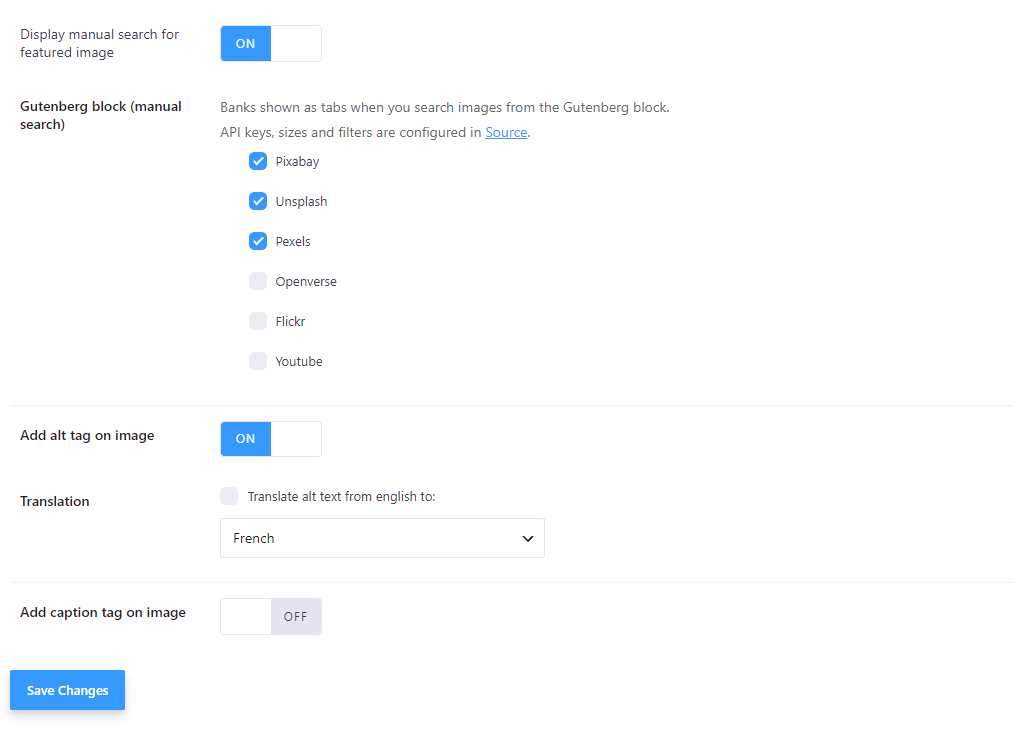
Settings #
Open Magic Post Thumbnail → Gutenberg Block.
- Display manual search for featured image — shows the Generate Manually button next to the featured image in the editor. Turn this off if you only want the MPT Images block in the content, not the featured-image button.
- Gutenberg block (manual search) — “Banks shown as tabs when you search images from the Gutenberg block.” Check and drag to set which photo banks appear as tabs, and in which order.
“API keys, sizes and filters are configured in Source.”
Photo-only searchable banks:
There is no AI bank, no Bing Images, and no Google Image (API) in this list. Those belong to automatic generation on Source.
- Add alt tag on image (Pro) — then Translation: Translate alt text from english to a language. See why alt text matters. Free version: “Only available with the pro version”.
- Add caption tag on image (Pro) — adds a caption under the image when you insert it from the block.
In the editor #
Three controls, with different jobs:
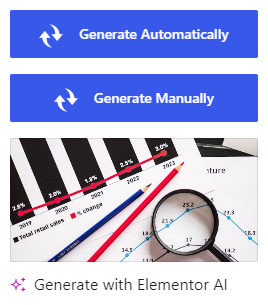
- Generate Automatically — on the featured image panel. Runs the Source chain (editor button, same as bulk/cron). Not a Gutenberg search.
- Generate Manually — on the featured image panel when Display manual search for featured image is on. Opens the photo search modal so you can pick a result and Set as featured image.
- MPT Images — insert the block in the content (category Media). Click Search for Images. After a search, choose Use this image to insert it in the post.
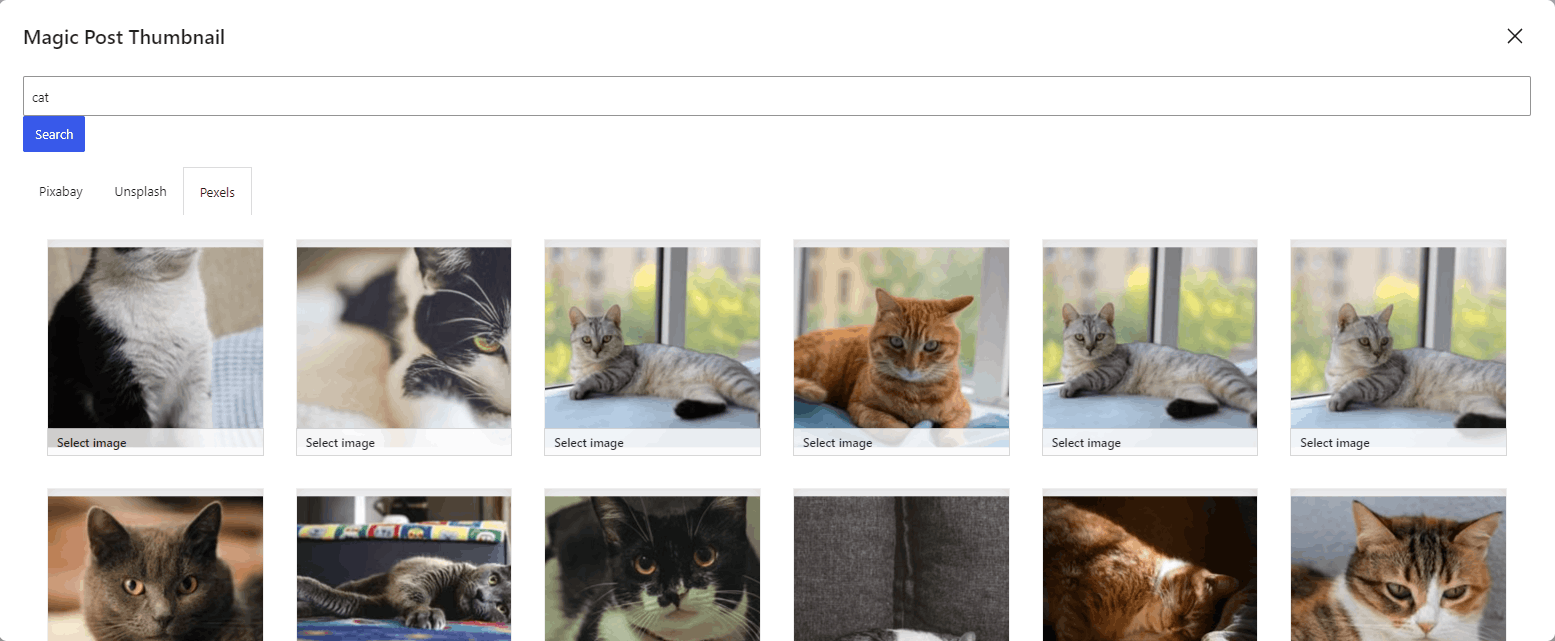
In the modal: type a keyword, press Enter or Search. Tabs match the banks checked under Gutenberg block (manual search). While an image downloads: “Image is downloading to media, please wait a few seconds.” Close with Close the window.
The free version limits how many results you see. Locked tiles link to “UNLOCK MORE IMAGES WITH THE PRO VERSION”.
Click Save on the Gutenberg Block settings page after you change banks or switches.


